If you’ve been bouncing between AI image models trying to find “the one,” you’re not alone. Most creators don’t actually need the model with the flashiest demo image—they need the model that fits their day-to-day workflow.
That’s why this comparison focuses on what you’ll feel in real use: how fast you can get a clean first draft, how painful revisions are, how well the model obeys layout constraints, and whether you can keep a subject consistent across a batch.
In other words: you’re not choosing a model, you’re choosing a workflow.
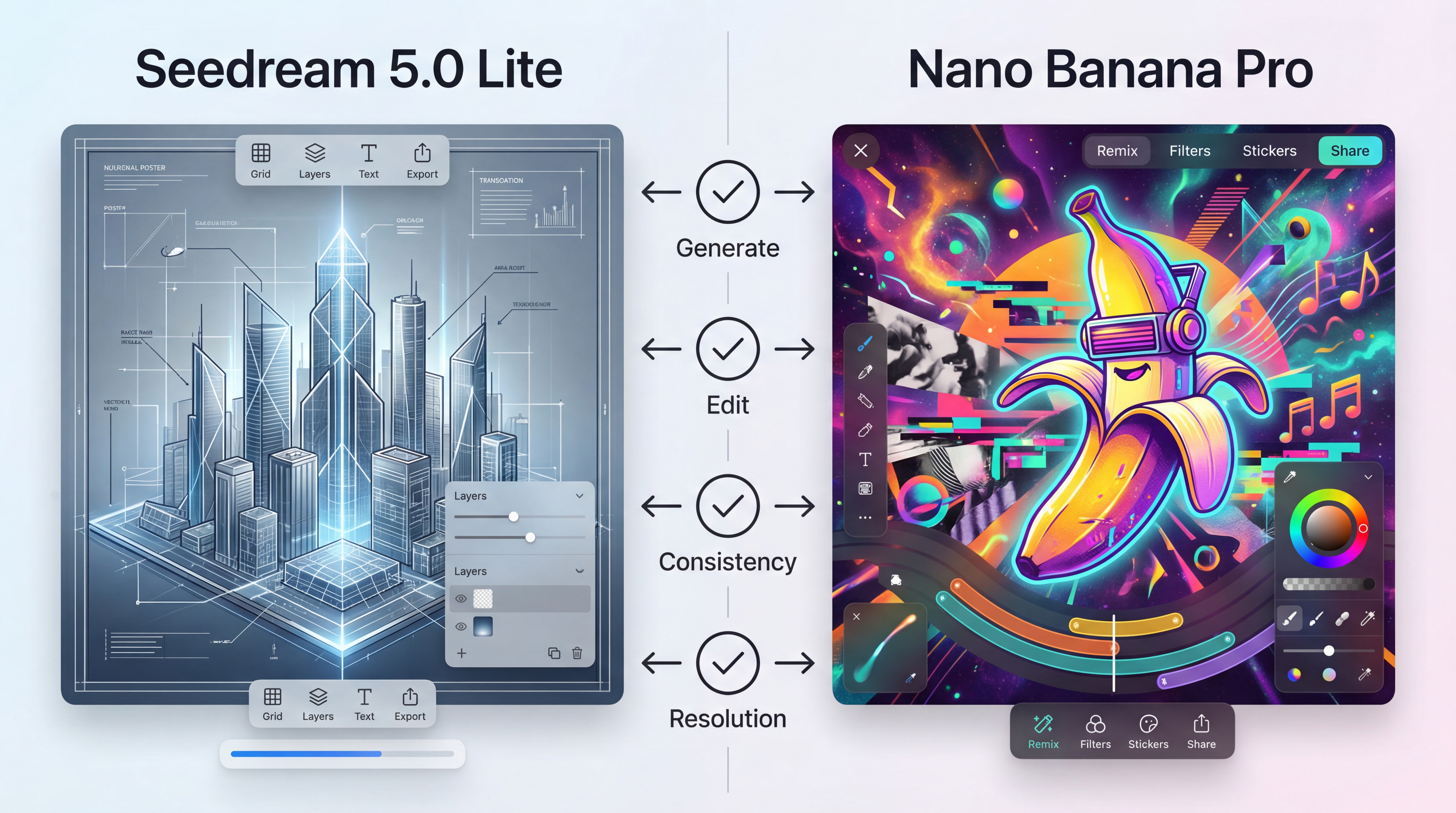
This guide compares Seedream 5.0 Lite vs Nano Banana Pro in a practical, repeatable way—so you can pick the right tool (or use both) without guessing.
Quick decision guide (read this first)
Choose Seedream 5.0 Lite when you care most about:
- detailed instruction-following (especially complex constraints)
- design-style outputs (posters, structured visuals, diagrams)
- editing that respects spatial relationships and specific details
- resolution options for high-res materials
Choose Nano Banana Pro when you care most about:
- fast creative generation and remixing
- easy, instruction-based photo edits (add/remove objects, scene changes)
- style transfer with a “try a few looks” approach
- keeping a character/object consistent across a set
If you do client work, marketing, or any production pipeline, the best answer is often: generate in one, refine in the other.
At-a-glance comparison
| What you’re doing | Best starting point | Why it tends to work |
|---|---|---|
| Posters, promo graphics, structured layouts | Seedream 5.0 Lite | Built around stronger comprehension and layout-friendly output |
| Technical visuals (diagrams, “must be correct” illustrations) | Seedream 5.0 Lite | Emphasis on precision and reasoning-driven generation |
| Quick creative concepts and remixes | Nano Banana Pro | Fast generation + style experimentation feels natural |
| Editing photos with simple instructions | Nano Banana Pro | “Smart edit” style workflows are a core pitch |
| Consistent character/object across variations | Nano Banana Pro | Identity/element consistency is highlighted as a core feature |
| Print-ready or ultra-detailed assets | Seedream 5.0 Lite | Dual resolution output (2K + upscaled 4K) is explicitly supported |
If that table already answers your question, you can stop here. If you want the “how and why,” keep going.
What each model is (in plain English)
Seedream 5.0 Lite: made for constraints, accuracy, and clean iteration
On FluxProWeb, Seedream 5.0 is framed as a next-generation model with upgraded object consistency, better text comprehension, and more advanced editing. It also leans into three “serious” capabilities:
- retrieval-assisted generation for time-sensitive prompts (brands, trending topics, recently released products)
- high-fidelity editing control that better respects spatial relationships and numeric details
- deep logical reasoning for prompts that require multi-step understanding (not just pretty styling)
If your prompts sound like a design brief—“keep this, change that, preserve these details”—Seedream is designed to meet you there.
Nano Banana Pro: made for quick creation, smart photo edits, and cohesive sets
On FluxProWeb, Nano Banana Pro is presented as a Gemini-based “instant image creation and editing” tool. Its feature set is described in a very creator-friendly way:
- text-to-image generation across styles
- intelligent photo editing via simple instructions (change scenes, add/remove objects, smart fixes)
- artistic style transfer for trending/custom looks
- identity & element consistency to keep characters/objects cohesive across edits and batches
If you like experimenting quickly—“try three different styles,” “make it pop art,” “put it in a new scene”—Nano Banana Pro is built for that energy.
Editing showdown: what “editing” really means here
A lot of comparisons get stuck on a single question: “Which model makes prettier images?”
In practice, the bigger time-saver is: Which model lets you fix a near-miss without starting over?
That’s why editing deserves its own section.
Seedream 5.0 Lite image editing (precision-first)
If you care about preserving structure—keeping objects in place, maintaining believable occlusion, respecting “left/right/top” constraints—start with Seedream 5.0 Lite image editing.
This workflow tends to feel strongest when you’re doing things like:
- keep the composition, change only the lighting
- update one object without shifting the rest of the scene
- transfer a palette or design style from a reference
- preserve a brand “design language” across a set
A useful way to think about it: Seedream is designed to narrow the gap between what you say and what the image does—especially when the request is precise.
Nano Banana Pro image editing (instruction-friendly and remixable)
If your edits are more like “creative changes” than “technical constraints,” Nano Banana Pro image editing is a comfortable fit.
This is where Nano Banana Pro tends to feel strong:
- change the scene while preserving the subject
- add/remove elements quickly
- apply a new art style without rewriting your whole prompt
- build a cohesive set by keeping identity consistent
It’s the kind of editing you reach for when you want to move fast and you’re okay iterating through a couple versions to land the vibe.
Output quality and resolution: what “high resolution” means in practice
Resolution can feel like a boring checkbox—until you need a banner, a poster, a product hero shot, or anything that will be cropped and reused.
Seedream’s dual output approach
FluxProWeb explicitly describes Seedream 5.0 as supporting native 2K and AI-upscaled 4K outputs. That’s a big deal for:
- commercial-grade posters
- high-res marketing assets
- design work where texture and clarity matter
In practice, you can treat 2K as a “fast draft” and 4K as your final export.
Nano Banana Pro’s “HD result” workflow
Nano Banana Pro’s flow is very straightforward: prompt (optional image upload) → generate → download an HD result. It also includes resolution controls in the UI.
If you mostly publish to web/social, that can be enough. If you regularly need heavy cropping, print-friendly detail, or repeated re-use, Seedream’s 2K/4K framing can be more helpful.
When to use a high resolution AI image generator playground
If you’re testing models, the easiest way to stay objective is to run the same prompt across multiple models first, then refine the winner.
That’s exactly what a high resolution AI image generator playground is good for: one place to compare outputs quickly, then jump into the model page you want for deeper iteration.
Best use cases (so you don’t have to guess)
When Seedream 5.0 Lite is the better pick
- Layout-sensitive design: posters, social tiles, structured graphics
- Accuracy-heavy visuals: diagrams, educational graphics, technical illustrations
- Time-sensitive prompts: anything that references recent trends/brands/topics
- High-res deliverables: when you know you’ll need detail and clean exports
If your work looks like “make this correct, keep it consistent, now revise it,” Seedream tends to feel more dependable.
When Nano Banana Pro is the better pick
- Fast creative concepts: generate lots of directions quickly
- Photo editing and remixing: simple instruction-based transformations
- Style exploration: try different art looks without rewriting everything
- Cohesive batches: keep a character/object consistent across variations
If your work looks like “give me options, change the vibe, try a new style,” Nano Banana Pro often feels more playful and productive.
When they’re best as a pair
A very common real workflow is:
- Generate strong directions quickly (Nano Banana Pro)
- Finalize with precision edits, layout rules, and high-res output (Seedream)
Or, for some teams:
- Build a structured base design (Seedream)
- Produce multiple creative variations and remixes (Nano Banana Pro)
There’s no rule that says you must be loyal to one model.
A beginner-friendly “test both in 10 minutes” method
If you want to decide without bias, use this simple test pack.
Step 1: Pick one prompt that matches your real work
Use something you actually create, like:
- a product hero image
- a social promo poster
- a character portrait you’ll reuse
Step 2: Run the same prompt in a high resolution AI image generator
Start in the high resolution AI image generator playground so you’re not changing tools and settings mid-test.
Pick the best result from each model—not the perfect one, just the best direction.
Step 3: Do one edit pass in each model
Now test the edit loop:
- In Seedream: do a constraint-heavy edit (“keep composition, change only lighting, preserve all text areas”).
- In Nano Banana Pro: do a creative edit (“change scene, add a prop, switch style”).
Whichever one feels less frustrating during this step is probably the better daily driver for you.
Copy/paste prompt templates (use these as your starting point)
Below are templates designed to work for both models. The trick is the structure: purpose → constraints → style → don’ts.
Template 1: Product hero image (clean and reusable)
A premium e-commerce hero image of a single [PRODUCT] centered. Clean background with subtle gradient, studio softbox lighting, crisp edges, soft shadow. Minimal composition, high clarity. No watermark, no extra text, no hands.
Template 2: Poster layout with real whitespace
Create a vertical promotional poster for [EVENT/PRODUCT]. Top third reserved for headline (empty space), center hero visual, bottom area reserved for CTA. Modern minimal design, high readability, strong contrast. No extra text.
Template 3: Edit-only command (the revision saver)
Keep the subject identity, pose, and composition unchanged. Change only the background to [BACKGROUND] and lighting to [LIGHTING]. Do not add text. Preserve all existing details.
Template 4: Style transfer that still looks consistent
Apply the style of [REFERENCE STYLE] (palette + texture + mood) to the scene while keeping the subject identity and composition consistent. Maintain clean edges and readable shapes.
When you’re ready for the “real” workflow upgrade, you can split the templates by model:
- for precision edits: Seedream 5.0 Lite image editing
- for creative remix edits: Nano Banana Pro image editing
Common pitfalls and fast fixes
Problem: “It keeps changing the subject.”
Fix: lock identity and reduce randomness.
- “Preserve the same face, hair, outfit, and camera angle.”
- Use a reference image if available.
- Avoid rewriting your entire prompt between edits.
Problem: “The layout feels messy.”
Fix: add layout constraints, not more adjectives.
- “One focal subject.”
- “Leave empty space in the top third.”
- “Simple background, no clutter.”
Problem: “Edits affect the whole image.”
Fix: tell the model what must not change.
- “Keep composition and subject unchanged.”
- “Change only X.”
- “Do not modify Y.”
This is exactly where editing-focused workflows make or break your experience.
FAQ
Which model is better for consistent characters?
If your goal is a cohesive set across edits and batches, Nano Banana Pro emphasizes identity/element consistency. That makes it a strong choice for repeatable character assets.
Which model is better for posters and structured visuals?
If you care about layout rules and constraint-following, Seedream’s positioning around comprehension, precision, and consistency makes it the safer starting point.
What’s the easiest way to test both without wasting time?
Use the high resolution AI image generator playground for a quick side-by-side, then do one edit pass in each model to see which revision loop you prefer.
Final takeaway
The simplest way to summarize Seedream 5.0 Lite vs Nano Banana Pro is this:
- If you want precision, constraints, and high-res polish, start with Seedream.
- If you want speed, remixing, and cohesive creative batches, start with Nano Banana Pro.
And if you’re doing real production work, it’s completely normal to use both—because the fastest workflow is the one that lets you draft quickly and revise cleanly, without fighting the model.